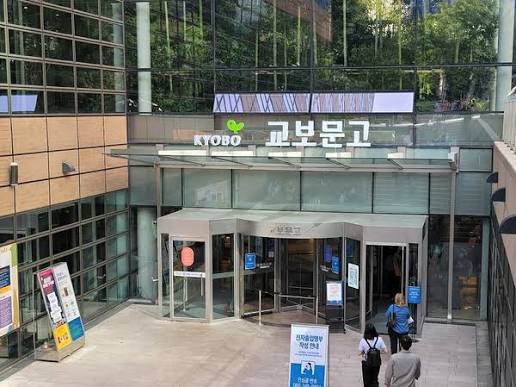
Kyobo Book Centre is one of the bookstores I visit most often, and it is also one of the easiest major bookstores to find in Korea.
It is not just a place to buy books. You can also find stationery, notebooks, character goods, and many other items, so it can be worth visiting even if you are not planning to buy a book.
Kyobo Book Centre stores can be quite large, and there are several different ways to find and purchase books. You can buy books directly in the store or use the Kyobo Book Centre app, and the process is slightly different depending on which method you choose.
In this guide, I will explain the easiest ways to use Kyobo Book Centre based on how I normally use it myself.
Step 1. Where Can You Find a Kyobo Book Centre?
Kyobo Book Centre has many locations throughout Korea, so the easiest way is to search for the nearest branch using a map app.
If you are not sure which map app to use in Korea, you can check my previous guide about using map apps in Korea.
Once you arrive at the bookstore, you can simply walk around and browse if you want to discover different books.
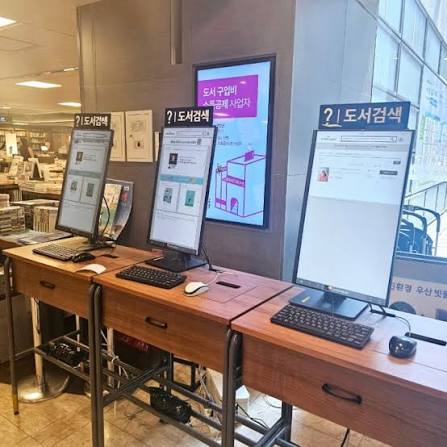
However, if you already know which book you are looking for, using one of the book search kiosks inside the store is much easier.
Search for the title of the book, and the system will usually show you whether it is in stock and where you can find it inside the store.
If you are looking for foreign-language books, each store is usually divided into different sections using letters such as A, B, C, D, and E. Check the store signs and head to the foreign books section.
Step 2. What Else Can You Buy Besides Books?
Kyobo Book Centre is no longer just a bookstore.
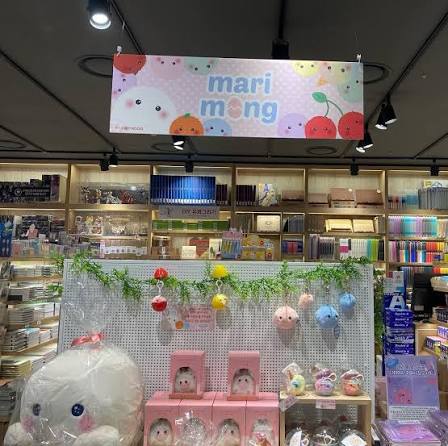
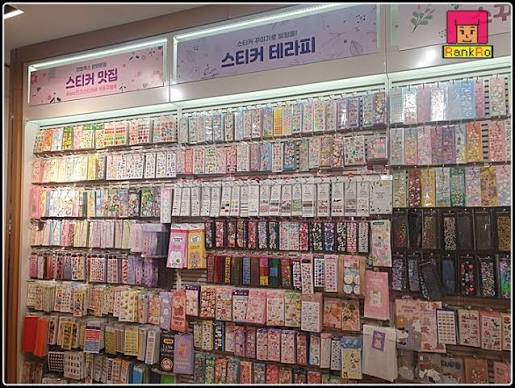
Many locations also have a Hottracks section where you can find stationery, notebooks, planners, character merchandise, and various other items.
If you are interested in stationery or small gifts, it is worth taking a look around Hottracks while you are visiting the bookstore.
You may end up finding something interesting even if you originally came only to buy a book.
Step 3. How to Pay for Your Books
If you cannot find the book you are looking for, there are usually staff members around the store who can help you.
If explaining the title in Korean is difficult, simply showing the book title or cover on your phone is usually the easiest way to ask for help.
Once you have found the book you want, there are two main ways to pay.
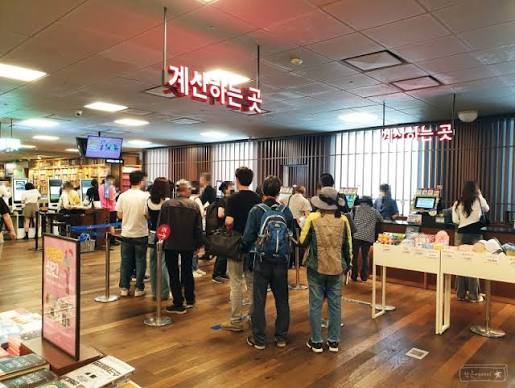
The first option is the simplest: take the book to the checkout counter and pay there.
The second option is to use the Kyobo Book Centre app.
Kyobo Book Centre offers a service called Baro Dream, which allows you to order and pay for a book through the app and pick it up directly at the store.
After paying through the app, you can go to the designated pickup counter, show your order information or receipt, and receive your book from the staff.
This is the method I usually use because it saves time searching through the shelves yourself.
Another advantage is that books purchased through the app can often receive the same discount available for online purchases, including around a 10% discount on eligible books.
So, if you are able to use the Kyobo Book Centre app, I personally recommend trying the Baro Dream service.
Local Tips
- The Gwanghwamun Kyobo Book Centre is one of my favorite locations.
There is also a Starbucks inside, so it is a nice place to browse books and take a break at a café. I visit this location quite often myself. - Try using Baro Dream through the Kyobo Book Centre app.
You can order while browsing the store or purchase the book before you arrive. It can be cheaper than buying directly in the store, and there is a separate pickup counter, so you may also be able to avoid waiting in the regular checkout line. - You do not need to feel uncomfortable browsing or reading books inside the store.
It is common for people to spend some time looking through books before deciding whether to buy them. - If you want a cleaner copy of a book, check underneath the display shelf.
In many sections, additional copies are stored underneath or behind the displayed book, so you do not always have to take the copy that everyone has been browsing. - You usually do not need to pay separately for Kyobo Book Centre and Hottracks items.
If you are buying books and stationery together, they can generally be paid for at the same self-checkout or checkout area.
I wrote this guide based on my own experience using Kyobo Book Centre, not as an advertisement.
I hope it helps make your visit to Korea a little easier and more enjoyable. If you have any questions, feel free to contact me by email.
Have a great trip to Korea!